
I opened Search Console one morning to a graph that had turned red overnight. Not a dip — a wall. Thousands of JSON-LD schema errors flagged across a site I run, all stamped to the same window while I slept. I hadn’t touched a single post. What I had done the day before was run a batch script that added one small block to every article, and a single detail in how that block was written quietly turned valid structured data into thousands of “unparsable” errors. This is exactly what broke, why one formatting choice spread across the whole site at once, how I traced it, and the one-line rule that has kept it from happening since.
What thousands of JSON-LD schema errors look like
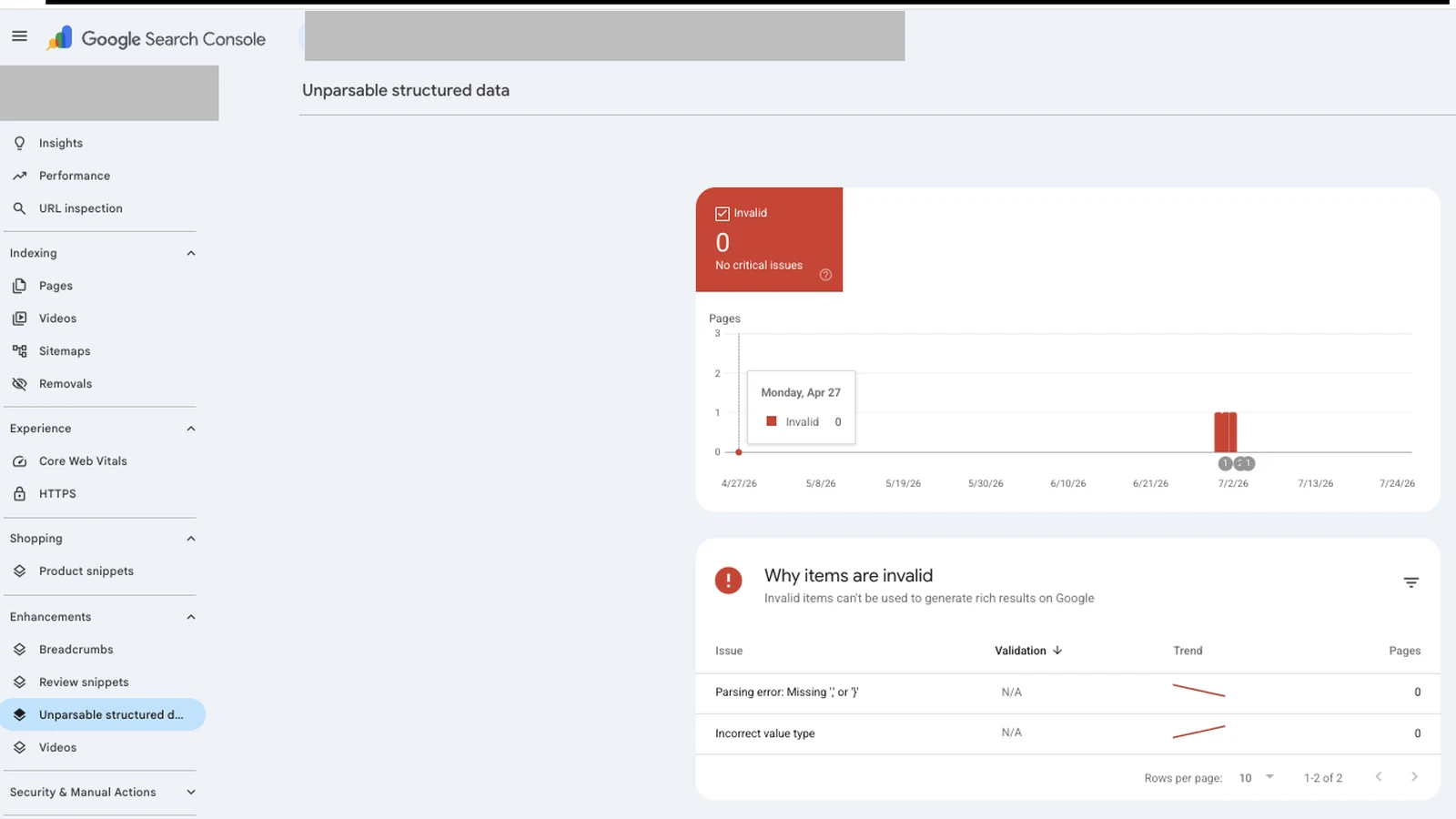
In Search Console, the damage shows up under the structured data and enhancement reports as a sudden spike of invalid items, usually labelled something like “Unparsable structured data” or “Incorrect value type.” Overnight my count went from a handful to the thousands, because the report counts every affected page, and the change had touched every page. Rich results that depended on that markup dropped out, and the enhancement report went from mostly green to almost entirely red.
The scary part isn’t the number itself — it’s that nothing on the site looked broken. The articles rendered fine to a human. The titles, the text, the images were all there. The breakage was invisible in the browser and only showed up to machines reading the page’s structured data. That gap between “looks fine” and “is broken” is exactly what makes schema errors so easy to ship and so easy to miss.
Why one line breaks so many pages at once
A content pipeline is efficient precisely because it does the same thing to every post. That is its strength and, on a bad day, its blast radius. When the schema block is generated from one template and inserted across the whole archive, a mistake in that template isn’t a one-page bug — it’s a site-wide one. Every page inherits the same flaw the moment the batch runs.
This is the part people underestimate when they move from hand-editing to automation. Hand-editing contains mistakes: you break one post, you notice, you fix it. A batch operation removes that natural circuit breaker. The same keystroke now lands on hundreds of pages before anyone looks. So the risk isn’t that automation makes more mistakes — it makes the same mistake at scale, faster than you can catch it. That’s why the rules that matter most in a pipeline are the ones that run before a batch ships, not after.
The real cause: pretty-printed schema meets autop
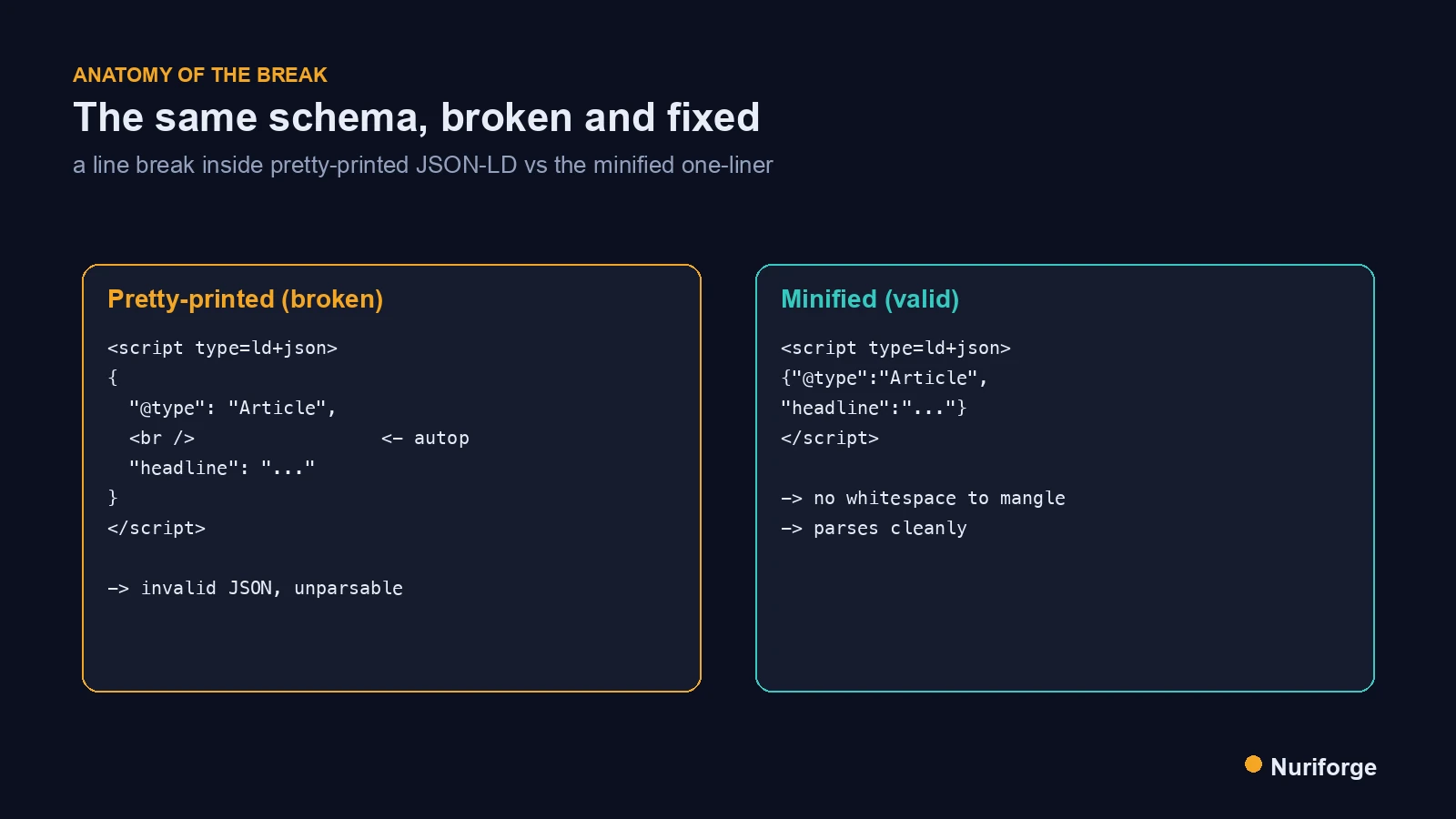
Here’s the actual mechanism. The schema block I inserted was pretty-printed — valid JSON, but spread across multiple indented lines for readability. WordPress runs incoming content through wpautop, the routine that turns blank lines and line breaks into paragraph and <br> tags so that ordinary typing becomes formatted HTML. That’s helpful for prose. It is catastrophic for a JSON-LD block, because autop happily inserts <br /> tags into the whitespace between the lines of your schema.
Once an HTML tag is baked into the middle of a JSON string, the block is no longer valid JSON, and every crawler that tries to parse it fails. That is the whole bug: not a typo in the data, not a wrong structured data type, but formatting whitespace that a well-meaning platform feature rewrote into markup. The schema was correct when it left my script and corrupt by the time it was saved.
How I traced it to the actual page
Search Console tells you that something is wrong, rarely what. Its error labels are unreliable enough that I’ve learned not to trust them at face value — “Incorrect value type” and “Parsing error” can both mean the same thing: the JSON simply didn’t parse. So I ignored the label and went to the source. I opened one flagged URL, pulled its raw stored content rather than the pretty rendered page — what’s on disk and what’s live are two different things, and only one of them is what Google parses — and read the schema block directly.
There it was: <br /> tags sitting inside the application/ld+json script, exactly on the line breaks of the pretty-printed block. A quick parse attempt confirmed it — the string throws the moment a tag appears mid-value. Google’s Rich Results Test is useful for a live page, but the fastest diagnosis was reading the raw HTML and trying to parse the JSON myself. Diagnose from the page, not from the dashboard’s guess about the page.
The fix: minify, then validate published and scheduled
The fix is almost anticlimactic: emit the JSON-LD as a single minified line before it ever touches WordPress. With no line breaks and no indentation, autop has no whitespace to convert, so there’s nothing for it to corrupt. In practice that means serializing with compact separators and no pretty-printing, proving it parses, and only then pushing it live. The human-readable version can live in your source; the live version must be one line. That rule now lives in the lint gate that enforces my writing rules, so a pretty-printed block can’t reach WordPress even when I forget.
| Pretty-printed (what broke) | Minified (what ships) | |
|---|---|---|
| Line breaks | Many (indented for readability) | None (single line) |
| What autop does to it | Injects <br> into the whitespace | Nothing to inject into |
| Result after save | Invalid JSON, unparsable | Valid, parses cleanly |
| Where it’s fine | Your source file (for reading) | The live site (always) |
One more trap I only closed later: a front-end sweep of your published posts will completely miss scheduled ones, because a scheduled post has no public page to crawl yet. If a batch corrupted your schema, the not-yet-published posts are corrupted too and invisible to any check that only reads live URLs. So the validation has to cover both published and scheduled content by reading each post’s stored markup directly, not just what’s currently on the web.
How to stop JSON-LD schema errors before they ship
The lasting fix wasn’t cleaning up the mess — it was making the mess impossible to publish again. Now the same rule is enforced on every post automatically, as part of the content pipeline I run: no post is allowed out unless every JSON-LD block is minified to one line and provably parses first. What used to be a habit I could forget at midnight is now a gate that blocks the publish.
The same pattern, one markup habit breaking every page at once, hit me again with tables, which I cover in The Mobile Table Trap That Breaks WordPress on Phones (Coming soon).
If you want a short checklist to steal: always minify JSON-LD before it hits WordPress; parse every schema block programmatically as a pre-publish step and fail the publish if it throws; after any batch operation, re-scan both published and scheduled posts, not just live URLs; and diagnose from the raw page, never from Search Console’s error label. I’ll go deeper on the validation step in Structured Data Validation That Covers Scheduled Posts Too.
FAQ
What does “unparsable structured data” mean in Search Console?
It means Google tried to read a structured-data block on the page and the JSON didn’t parse. It’s usually a formatting problem — a stray tag, an unclosed quote, or in my case HTML injected into the JSON — not necessarily wrong data. The label is unreliable, so diagnose by reading the page’s raw markup.
Why did minifying the JSON-LD fix it?
WordPress’s autop feature converts line breaks and blank lines into <br> and paragraph tags. A pretty-printed, multi-line schema block gives it whitespace to “format,” and it injects tags into your JSON. A single minified line has no line breaks to convert, so there’s nothing to corrupt.
Do JSON-LD errors hurt SEO or rankings?
Invalid structured data doesn’t directly tank rankings, but it removes your eligibility for rich results and any AI or search feature that relies on that markup. At scale it’s also a quality signal you don’t want — thousands of errors is a mess Google can see even if readers can’t.
How do I check schema on scheduled posts that aren’t live yet?
You can’t use a front-end crawl or the Rich Results Test, because there’s no public page. Read the post’s stored content directly through the editor or the REST API and parse each JSON-LD block there. A batch that broke your live posts almost certainly broke the scheduled ones too.
What’s the fastest way to validate JSON-LD before publishing?
Parse it in code. Extract every application/ld+json block and run it through a JSON parser; if it throws, the post fails and doesn’t publish. That single automated check would have caught my entire incident before it ever went out.
My Thoughts
What still bothers me about this one is how quiet it was. No error on save, no warning in the editor, a page that looked perfect to every human who visited — and thousands of broken machine-readable records underneath. The lesson I took wasn’t “be more careful with schema.” Careful doesn’t survive a batch script at midnight. The lesson was that anything applied to the whole site at once deserves a check that runs by itself, every time, whether or not I remember to look. I’d rather a gate tell me “no” than read a red graph over coffee again.