
My tables looked perfect — until someone opened the site on a phone. One wide comparison table had become a mobile table problem that shoved the entire page sideways, so every article with a big table let readers scroll the whole layout left and right like a loose tablecloth. On a content site I run, that quietly degraded the mobile experience for weeks before I understood it, and the first fix I tried didn’t work at all because of where the CSS lived. Here’s exactly what breaks, why it hid from me, and the fix that finally held on every host.
How a wide table breaks a phone layout
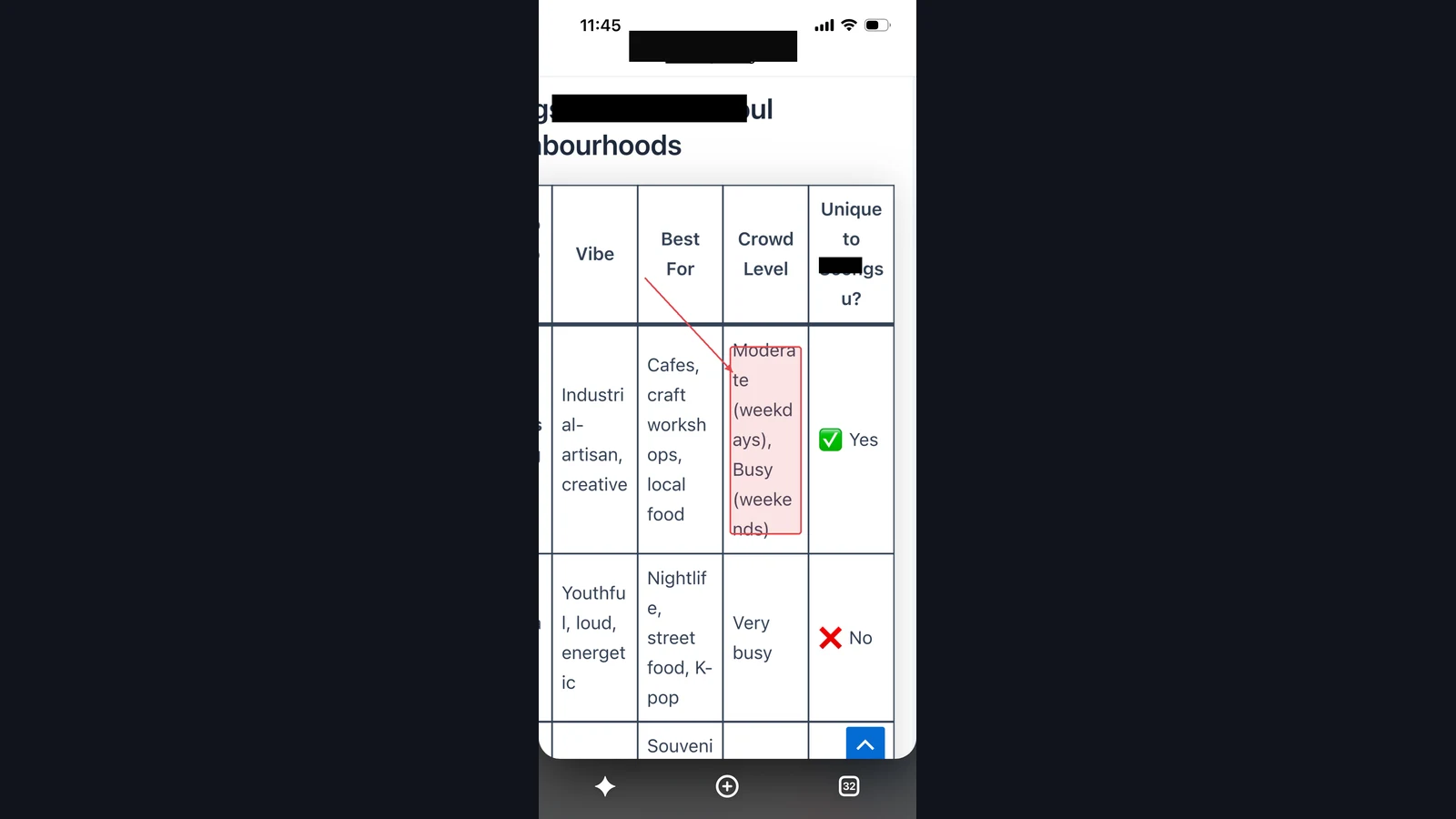
A phone screen is roughly 360 to 400 CSS pixels wide. A comparison table with four or five columns of real text wants far more than that, and by default an HTML table won’t shrink below the width its content needs. So the table pushes past the edge of the layout viewport, and because it’s part of the page flow, it drags the whole document’s width out with it.
The visible symptom is the tell: the entire page — headings, paragraphs, everything — can now be scrolled sideways, not just the table. That horizontal wobble is the browser reporting that some element is wider than the screen, and a wide table is the usual culprit. It doesn’t throw an error and it doesn’t break anything on desktop, which is exactly why a mobile table overflow can live on a site for a long time before anyone traces the wobble back to its source.
The proper behavior is that the table alone should scroll within its own box while the page stays put. The mechanism for that is well documented — an overflow container lets the wide child scroll horizontally inside a fixed-width parent. The question isn’t really what the fix is; it’s where you put it so it actually reaches the page.
Why it looked fine to me for weeks
The reason this hid so well is mundane and worth admitting: I wrote and reviewed posts on a wide screen. On a desktop the table has room, so it renders exactly as intended, and every preview I looked at confirmed a layout that was, on my screen, genuinely fine. The break only existed at a width I wasn’t looking at.
That’s the trap in one sentence — the environment where you author is not the environment where most people read. The majority of traffic to a content site is on phones, so a defect that only appears under 400 pixels wide is a defect most of your actual audience sees and you almost never do. I now treat “did I check this at phone width” as a required step, not a nicety, because the author’s-eye view is systematically blind to exactly this class of problem. Once I started shrinking the browser to a phone width before publishing, the wobble was obvious in seconds.
The fix everyone reaches for, and why it failed
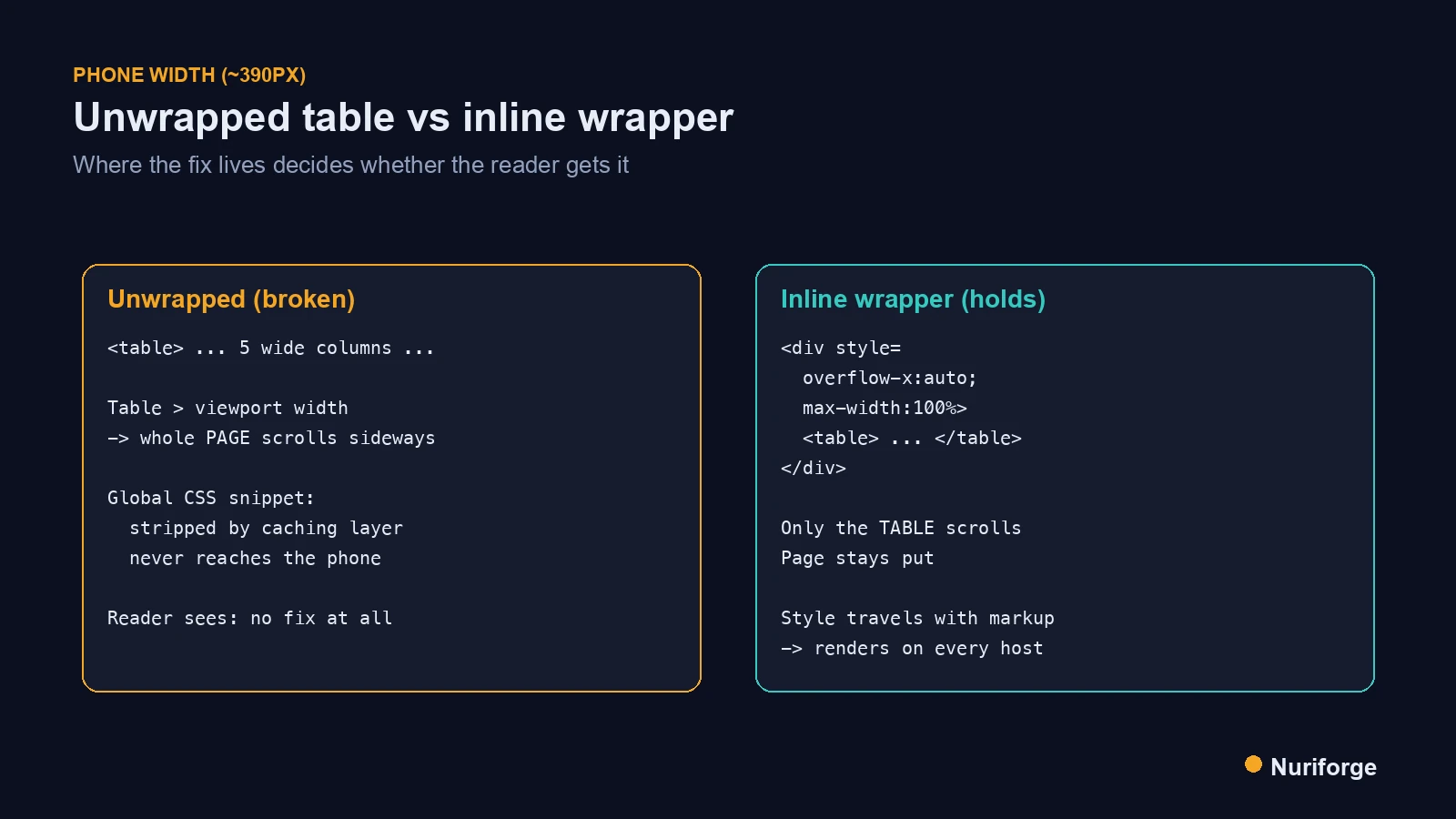
My first instinct was the clean, DRY one: write a global CSS rule that wraps or constrains every table site-wide, drop it into a snippet manager, and never think about it again. It’s the right instinct in principle. In practice it failed, and the reason took me an embarrassingly long time to find.
On some hosting stacks — I hit this on a LiteSpeed-based setup — the global CSS I’d added through a code-snippet tool simply wasn’t being output into the page for cached mobile responses. The rule existed; it just never reached the reader’s browser, so from the phone’s point of view there was no fix at all. Aggressive full-page caching and how a given stack injects snippet CSS can interact in ways that quietly drop your styles on exactly the pages and devices you’re trying to fix. I was staring at correct CSS that was, for the visitor, not there.
The deeper lesson is one I keep relearning in infrastructure: a fix that depends on a global mechanism is only as reliable as that mechanism’s weakest path. If the CSS can be stripped, deferred, or cached away, then “I added a global rule” is not the same as “every reader gets the rule.” I needed a fix that couldn’t be separated from the thing it was fixing.
The fix that actually holds
The fix that finally held is almost aggressively unclever: wrap every wide table, inline, in a container that scrolls horizontally, right there in the post’s own HTML. The wrapper carries its overflow style inline, so it travels with the content itself — it can’t be dropped by a caching layer or a snippet tool because it isn’t separate from the markup. Wherever the post renders, the wrapper renders with it.
Concretely, each table gets a parent div with inline overflow-x:auto and a max width of 100%. Now the table scrolls inside that box on a phone while the page holds its ground, and it looks identical on desktop where there was room to begin with. It offends the part of me that likes centralized styling, but it’s the version that survives contact with real hosting. The principle — make the safeguard inseparable from the content, rather than trusting a global path — is the same one that shapes the content pipeline I run: enforce the rule where it can’t be quietly undone.
Making it a rule, not a one-off
Fixing the tables I knew about wasn’t enough, because the next post would reintroduce the same bug the moment I forgot. So I turned the fix into a rule the pipeline enforces: any table in a post must be wrapped in the responsive container, and a small idempotent script can sweep existing posts to wrap any bare table it finds. Idempotent matters here — run it twice and it doesn’t double-wrap, because it checks for the wrapper before adding one.
That’s the difference between fixing a bug and closing it. A one-time cleanup fixes today’s tables; a rule that runs on every post fixes every future table without depending on me remembering the lesson at 1 a.m. The wide-table overflow can’t come back if bare tables can’t get published in the first place. I’d rather encode the fix once than rediscover the wobble every few months on a device I don’t author on.
Global CSS versus an inline wrapper
Both approaches use the same underlying CSS idea; they differ entirely in where the style lives and how reliably it reaches the reader. That difference is the whole story of why one failed and one held.
| Global CSS snippet | Inline wrapper in the post | |
|---|---|---|
| Where the style lives | Central snippet / theme CSS | Inline on a div around the table |
| Travels with the content | No, delivered separately | Yes, inseparable from the markup |
| On aggressive caching (LiteSpeed-type) | Can be stripped or not output | Renders wherever the post renders |
| Tidiness | Clean and centralized | Repetitive, slightly ugly |
| Did it actually hold? | Failed on some hosts | Held everywhere |
FAQ
Why does a wide table make my whole WordPress page scroll sideways?
An HTML table won’t shrink below the width its content needs, so on a narrow phone screen it overflows the viewport. Because the table is part of the page flow, it stretches the whole document’s width, which is why headings and paragraphs scroll horizontally too. Confining the table to its own scroll container fixes the page-level wobble.
What’s the correct way to make a table responsive on mobile?
Wrap the table in a container with overflow-x set to auto and a max width of 100%, so the table scrolls horizontally inside that box while the page stays fixed. This keeps all the data intact rather than hiding columns, and it looks identical on desktop where there’s already room. It’s the simplest reliable approach for wide comparison tables.
Why didn’t my global table CSS fix the mobile table problem?
On some hosting stacks, aggressive full-page caching or the way snippet CSS is injected can mean your global rule never reaches the cached mobile page, so the style exists but the visitor never receives it. A fix delivered separately from the content can be dropped by a caching layer. Putting the style inline, on a wrapper around the table, avoids that because it travels with the markup.
Does the inline wrapper hurt SEO or accessibility?
No. The full table content is still in the HTML and fully crawlable, and a horizontally scrollable container is a standard, accessible pattern for wide data on small screens. You’re not hiding or removing columns, just letting them scroll within a box instead of stretching the page.
How do I stop this from happening on future posts?
Make the wrapper a rule rather than a habit. Enforce that every table in a post is wrapped, and run a small idempotent script that sweeps existing posts and wraps any bare table it finds without double-wrapping ones already fixed. That way the overflow can’t return just because you forgot the rule on a new post.
My Thoughts
What sticks with me about this one is that the clever fix lost to the ugly one. Every instinct I have says centralize the rule, keep the markup clean, don’t repeat yourself — and all of that was correct right up until a caching layer ate the CSS and the readers on phones got nothing. The version that won was the one that couldn’t be separated from what it protected. That’s a pattern I trust now well beyond tables: if a safeguard can be delivered independently of the thing it guards, some day it will be, on exactly the page and device where you needed it most. Bolt the fix to the content and it stops being optional.