
Paste a nicely indented schema block into the WordPress editor and it looks perfect. Save it, and the platform quietly rewrites the whitespace between your lines into HTML tags you never typed. That single behavior is why you have to minify JSON-LD before it ever touches WordPress: a multi-line block hands the editor something to reformat, and a one-line block gives it nothing to grab. This isn’t a style preference or a micro-optimization. It’s the difference between structured data that parses and structured data that a crawler rejects, and it comes down to a one-argument change in how you serialize the JSON.
What WordPress does to multi-line JSON-LD
WordPress ships with a content filter called wpautop. Its job is friendly: take the way people naturally type, with blank lines between thoughts and returns at the end of sentences, and turn that into real paragraph and line-break tags so the post reads as formatted HTML. For prose, that filter is doing exactly what you want. You never think about it because it makes ordinary writing look right.
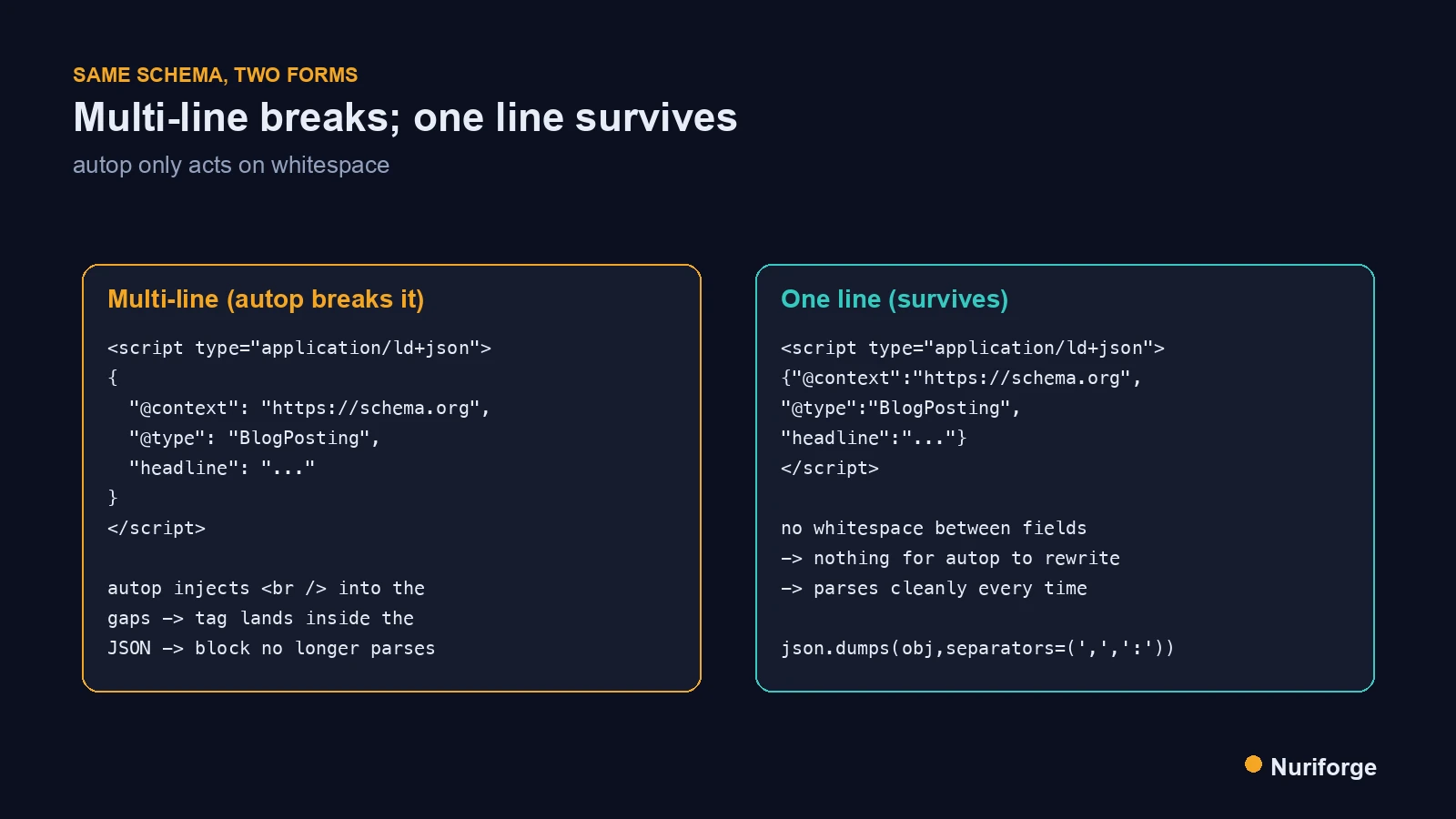
The problem is that wpautop can’t tell the difference between prose and a block of JSON. When you hand it a pretty-printed schema block, it sees the indentation and the line breaks between fields as whitespace to format, and it inserts <br /> and paragraph tags into the gaps. Now there is an HTML tag sitting in the middle of a JSON string. The block was valid when you pasted it and is corrupt the instant it saves. Nothing warns you, because from the editor’s point of view it just formatted some text. The wpautop function is documented as doing precisely this, so it isn’t a bug you can report; it is behavior you have to design around.
The one-line rule and why it holds
The rule is short: any JSON-LD that goes into WordPress ships as a single minified line. No indentation, no line breaks, no blank lines inside the block. The logic is mechanical rather than aesthetic. Autop only acts on whitespace, so if there is no whitespace between your fields, there is nothing for it to convert into a tag. A one-line block passes straight through the filter untouched because it presents no seams to split.
What makes this rule reliable is that it removes the failure mode entirely instead of trying to survive it. You could imagine fighting autop other ways, by disabling the filter on certain posts or wrapping the block in something it ignores, but every one of those depends on configuration that a plugin update or a theme change can quietly undo. Minifying doesn’t depend on the platform behaving; it depends on there being no whitespace to rewrite, which is a property of the string itself. A rule that holds because of the data, not because of the environment, is the kind you can trust across hosting moves and plugin churn.
How to minify JSON-LD in practice
In practice, minifying is one argument at serialization time. If you build your schema as a data structure and dump it to JSON, you tell the serializer to use compact separators and skip the indentation. In Python that is json.dumps(obj, separators=(",",":")), which emits a single line with no space after commas or colons. Most languages have the same switch; the default output is often already compact, and it is the pretty-printing options like indent=2 that create the danger.
The important discipline is to minify at the point of generation, not to hand-minify a block afterward. Manually deleting line breaks from a pretty block is error-prone and easy to get wrong on the one field that matters. Let the serializer produce the one-liner from the structured data every time, so the live output is minified by construction. The comparison table further down lays out the exact serialization calls and which ones are safe to paste. Once your generation step emits compact JSON, the whole class of autop-corruption problems disappears at the source rather than being cleaned up after the fact.
Keep it readable on disk, minified live
Minifying everywhere would make your own source painful to read, and you don’t have to. The readable, indented version can live in your repository or your notes, where a human needs to scan it and no autop filter will ever see it. What must be minified is the version that goes live. Think of it as two representations of the same data: one shaped for people, one shaped for the platform.
This split is the same principle I apply across the content pipeline I run: the form a thing takes on disk is not the form it takes when it ships. The pretty schema is for the moment you are writing or reviewing it; the one-line schema is for the moment it enters WordPress. As long as the minified version is generated from the same source of truth as the readable one, the two never drift apart. Keep the human copy comfortable to read, and let the build step flatten it before it goes anywhere near the editor.
Minify, then prove it parses
Minifying is necessary but it isn’t proof. A one-line block can still be broken for ordinary reasons: an unescaped quote inside a value, a stray comma, a field you templated wrong. So the step after minifying is to parse the result and confirm it is valid JSON before it goes live. Serialize to one line, run the string back through a JSON parser, and only push it if the parse succeeds.
That parse check is cheap and it closes the loop. It catches the whitespace problem you solved by minifying and every other malformation you didn’t. In a pipeline this becomes a gate: extract each block, parse it, and fail the publish if anything throws. The payoff is that a broken block can’t reach a reader, because it can’t get past the check. Google will parse the same structured data on its end, so verifying the parse yourself simply means you find the failure before the crawler does rather than after, and the shape of valid schema.org markup is exactly what that parser confirms. Scheduled posts need the same gate applied to their raw stored content, which is what the validation pass that covers scheduled posts too does.
Where the same trap bites beyond schema
Once you understand that autop reformats any whitespace it is handed, you start seeing the same trap in other places. Inline scripts, embed snippets, and any block of code you paste into the editor as content are all exposed to the same filter. Anything whose meaning depends on exact characters, and that includes line breaks, can be quietly rewritten the moment it saves. Schema is just the most common victim because so many sites inject it programmatically.
The defense generalizes cleanly. If a block must survive verbatim, don’t give autop whitespace to act on, or don’t route it through the content field at all. For structured data specifically, minifying is the whole fix and it costs nothing. But the broader habit worth building is to ask, before pasting anything technical into a WordPress post, whether the platform will treat it as prose. If the answer is yes and the content isn’t prose, you flatten it first. That instinct saves you from a category of silent corruption that only ever shows up later, in a report, when the damage is already live.
| Serialization call | What it emits | Safe to paste into WordPress? |
|---|---|---|
json.dumps(obj, indent=2) |
Indented, many lines | No — autop rewrites the whitespace |
json.dumps(obj) |
One line, spaces after commas/colons | Risky — still no line breaks, but not the tightest |
json.dumps(obj, separators=(",",":")) |
One line, no extra spaces | Yes — nothing for autop to act on |
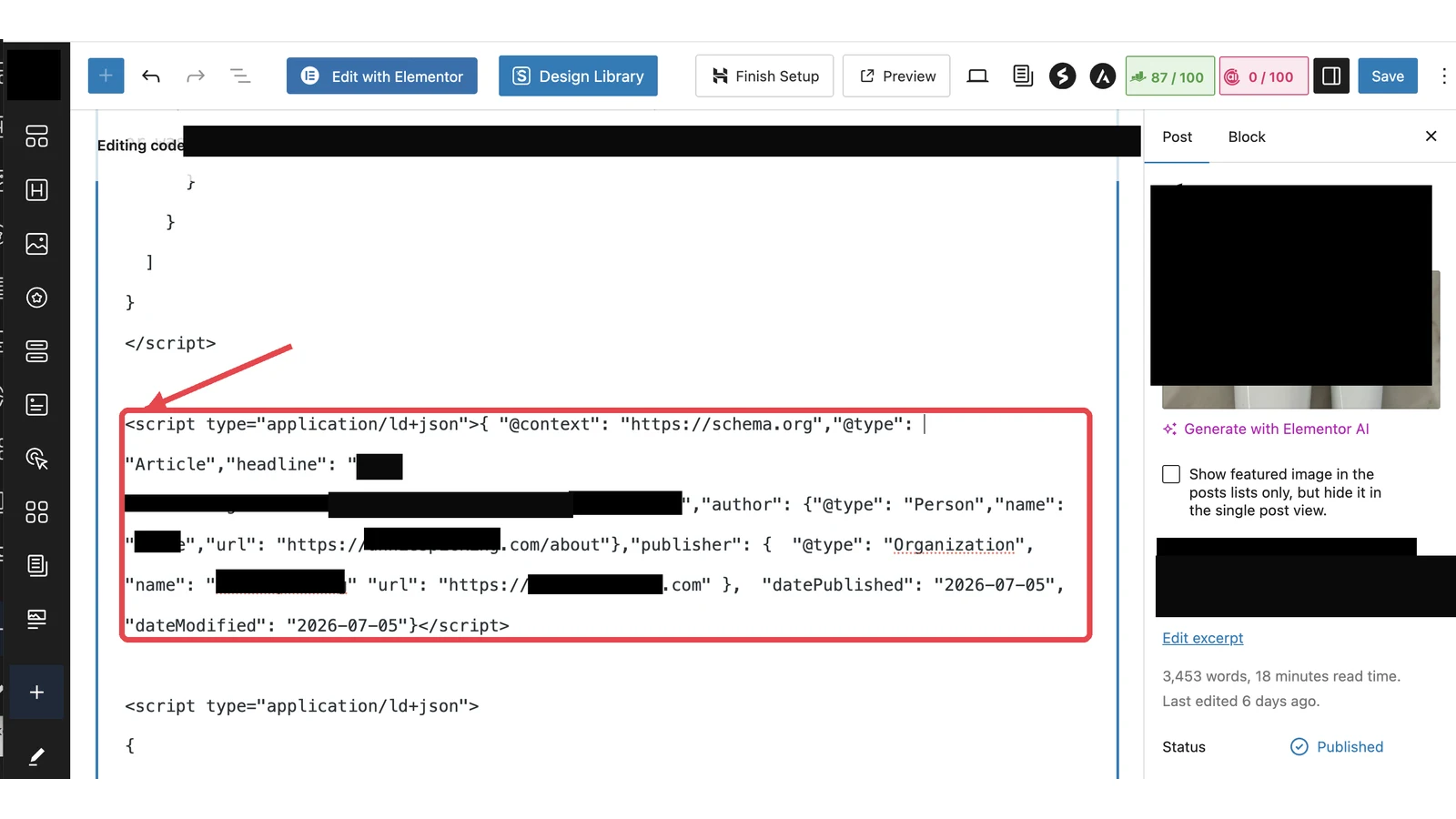
| Hand-typed, pretty in the editor | Whatever you typed, with breaks | No — the classic way schema gets corrupted |
FAQ
What does it mean to minify JSON-LD?
It means serializing the JSON to a single line with no indentation or line breaks, using compact separators. The data is identical; only the whitespace is gone, which is exactly what WordPress would otherwise rewrite.
Why does WordPress break multi-line JSON-LD?
WordPress runs content through wpautop, which turns blank lines and line breaks into paragraph and br tags. In prose that is helpful; inside a multi-line schema block it injects tags into your JSON and makes it unparsable.
How do I minify JSON-LD in code?
Serialize with compact separators, for example json.dumps(obj, separators=(“,”,”:”)) in Python, which emits one line with no spaces after commas or colons. Keep a pretty-printed copy in your source if you like, but push the minified line.
Can I keep a readable version of my schema?
Yes. Keep the pretty-printed version on disk for humans to read, and minify only at the moment it goes live. The readable copy is for you; the one-line copy is for the platform.
Does minifying JSON-LD affect how Google reads it?
No. Google parses the JSON regardless of whitespace, so a minified block is read exactly like a pretty one. Minifying only removes the whitespace that WordPress would otherwise corrupt.
My Thoughts
What I like about the minify rule is how small it is relative to what it prevents. There is no clever configuration to maintain, no filter to disable, no plugin to trust. You change one argument in how you serialize the JSON and an entire failure mode stops existing. Most durable fixes I have kept look like this: not a workaround layered on top of a problem, but a change that removes the surface the problem needed. The pretty version stays on disk where I can read it, the one-line version ships, and the platform’s most helpful feature never gets the whitespace it would have turned against me.