Search Console will tell you a page is broken. It will almost never tell you what is broken. The structured data errors it reports arrive with labels that sound precise and mislead constantly: “Incorrect value type,” “Parsing error,” and “Unparsable structured data” routinely point at the same dull cause, which is that the JSON didn’t parse at all. Treat the label as a diagnosis and you can lose an afternoon fixing a value type that was never the problem. This is the triage order I follow instead, worked out on a Korea-travel affiliate site I run after one too many wrong turns: distrust the label, go to the page, read the raw markup, and parse it before I change a thing.
Distrust the label before you touch anything
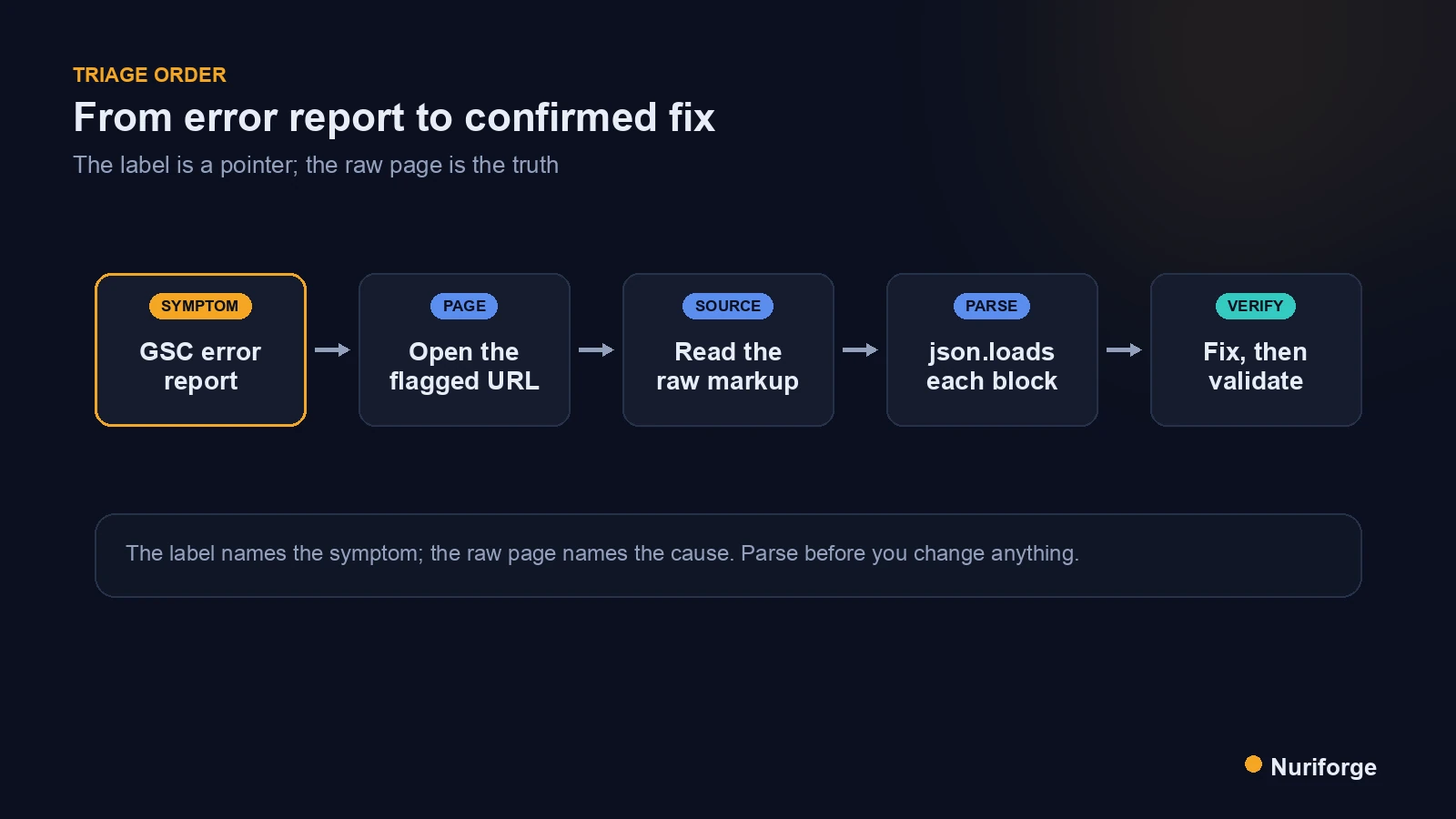
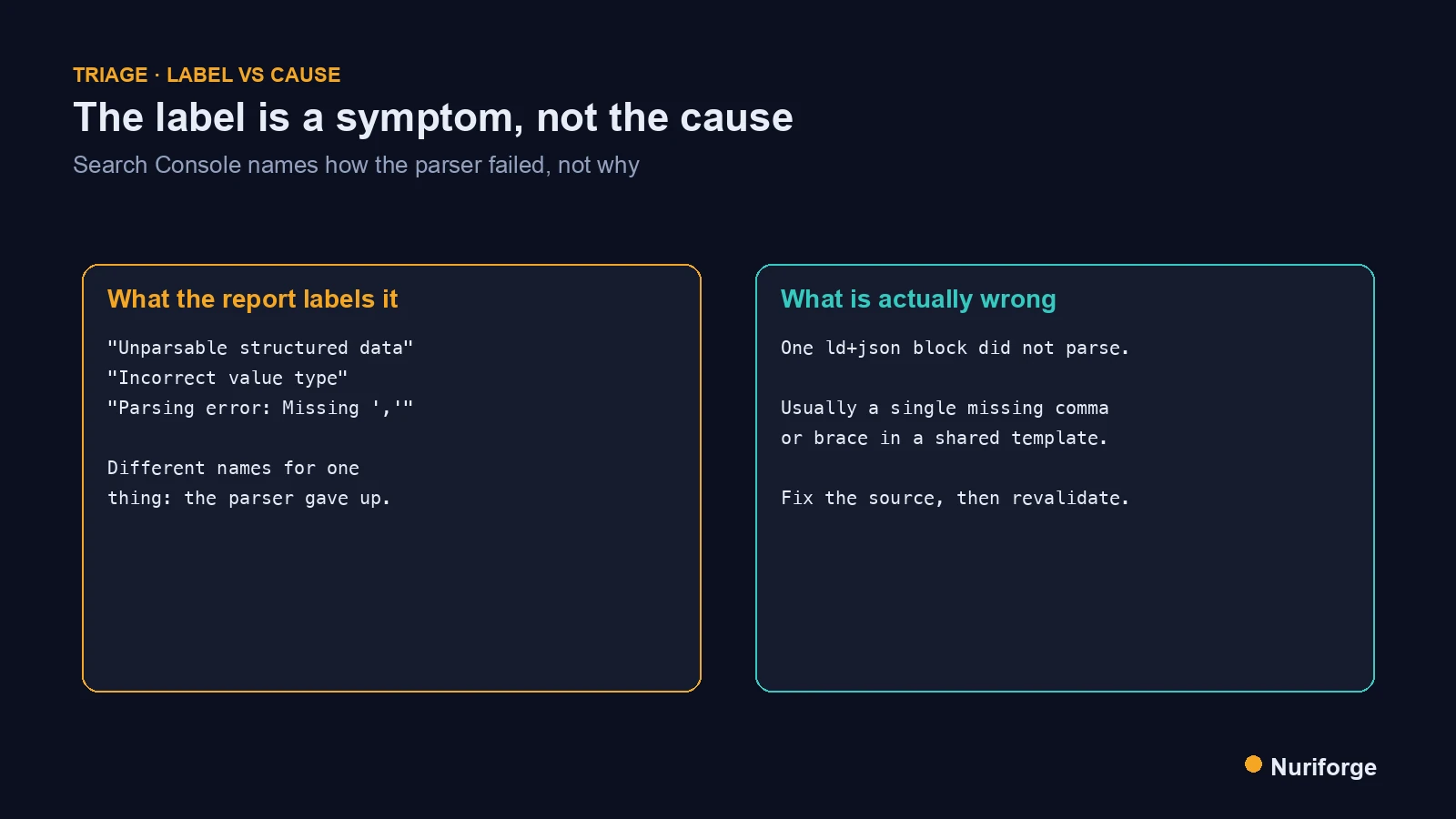
The first rule of triage is to read the Search Console label as a symptom, not a cause. The reports group failures under tidy names, but those names describe how Google’s parser gave up, not why. A block that fails to parse can surface as “Unparsable structured data” on one page and “Incorrect value type” on another, even when the underlying fault is identical. The wording is downstream of the failure, and it is often the least reliable part of the whole report.
Search Console labels are not the only thing I distrust; I apply the same habit to the impressions graph in High Impressions Versus Clicks: The AI-Overview Illusion (Coming soon).
This matters because the label quietly sets your agenda. See “Incorrect value type” and your instinct is to go hunting for a field that should be a number and isn’t. Sometimes that’s real. Just as often the JSON never parsed in the first place, so there is no value type to fix, and the hour you spend on it is wasted. So I don’t let the label choose the task. I note it, I assume it might be wrong, and I move straight to the only thing that can’t lie to me: the actual markup on the actual page. The label tells me a page needs attention. It does not tell me what to do, and pretending otherwise is how triage goes sideways.
Start at the page, not the dashboard
Once I’ve stopped trusting the label, the next move is to pick one flagged URL and go to the page itself. Not the aggregate report, not the chart of error counts, one specific affected page. The dashboard is a summary of a problem; the page is the problem. Everything you need to diagnose a structured-data failure is in the page’s markup, and nothing you need is in the count of how many pages share the symptom.
On the affiliate site, my worst triage sessions were the ones where I stayed in the dashboard too long, reading error totals and theorizing about causes. The totals told me the scale, which mattered for deciding urgency, but they told me nothing about the fix. The moment I opened a single flagged post and looked at what it actually served, the theorizing stopped and the real cause showed itself. Pick the page with the clearest example of the error, or just the first one in the list, and commit to diagnosing that one page completely. A cause you confirm on one page almost always explains the rest, because structured-data failures at scale usually come from one shared template or one batch operation.
Read the raw markup, not the render
Opening the page is only half the move; you have to read the right version of it. A browser renders a forgiving, cleaned-up view of the HTML, and the structured data you care about is easy to miss or misread in that view. What you want is the raw markup: the actual bytes the server sent, or the stored content behind the post, where the application/ld+json block sits exactly as a crawler will encounter it.
Reading the raw source is where the real cause usually becomes obvious. A stray tag injected into the middle of a JSON string, an unescaped quote, a block that got wrapped in something it shouldn’t be, all of these are visible in the raw markup and invisible in the rendered page. This is also the only way to diagnose content that has no clean public view, which is why I treat the stored markup as the source of truth throughout the content pipeline I run. It cuts both ways, too: the copy on your disk is not the post that is live, so read the one Google actually fetched. View source on the live URL, or pull the stored content directly, and find the exact block Search Console is complaining about before you form a single opinion about the fix.
Parse it to confirm the exact failure
With the raw block in hand, the last diagnostic step is to parse it yourself. Copy the JSON out of the ld+json block and run it through a real JSON parser. If it parses cleanly, your problem is a schema-level one, a wrong type or a missing required field, and now the Search Console label might actually be worth reading. If it throws, you have your answer: the block is malformed, the label was a red herring, and the parser will point you at the exact character where it broke.
That fork is the whole value of parsing. It splits every structured-data error into two piles, “the JSON is broken” and “the JSON is fine but the data is wrong,” and those two piles have completely different fixes. Guessing which pile you’re in from the dashboard label is how people waste time. A parser tells you in seconds, with a position and a reason, and it is the same judgment Google’s own reader applies. Confirm the failure mechanically before you touch the markup, so the change you make is aimed at the fault that actually exists rather than the one the report guessed at.
Fix once, then validate before you trust it
Only now, with a confirmed cause, do I change anything. The fix depends on which pile you landed in: a broken block usually needs its source template corrected so it stops emitting malformed JSON, while a valid-but-wrong block needs the actual field or type fixed. Either way, make the change at the source that generates the markup, not by patching one page, because a template fault will just reappear on the next post otherwise. Then make the source refuse to emit it wrong again — that’s what enforcing your writing rules with a lint gate and a sanitizer is for.
Before trusting the fix, validate it on a live page. Google’s structured data tooling, including the Rich Results Test, works on content it can fetch, so it can confirm a corrected page that is publicly reachable. Run the fixed URL through it and confirm the block is now read as valid. Keep in mind the test only works on live, fetchable content, so anything not yet published needs the parse check from the previous step instead. Validate the fix in the same tool Google will use, and you remove the guesswork about whether your change actually landed. The schema.org reference is the place to confirm the shape a given type is supposed to take while you’re at it.
That gap is where scheduled posts hide. A queued post has no fetchable URL, so the Rich Results Test cannot see it, and a batch mistake can sit in the queue untouched until it publishes broken. I wrote up how I close that gap in Structured Data Validation That Covers Scheduled Posts Too, by reading each queued post’s raw stored content instead of its front end.
Close the loop with Validate Fix
Fixing the page isn’t the end; telling Search Console to re-check it is. In the report where the error appeared, the Validate Fix action asks Google to recrawl the affected URLs and confirm the problem is gone. Start it after you’ve verified the live page, and let it run its course rather than starting it hopefully before the fix is really in place. A validation that fails because you triggered it too early just costs you another cycle.
Once the fix is validated, the report goes back into the routine in The Monthly SEO Loop That Tells Me Exactly What to Fix, so the same class of error gets caught earlier next month.
The loop closes when the report moves those pages from failing to passing on its own schedule, which can take days. Resist the urge to re-request validation repeatedly; it doesn’t speed anything up and it clutters the history. The discipline that makes this whole playbook work is patience at the end and skepticism at the start: distrust the label, diagnose from the page, fix at the source, validate on the live URL, and then let Google confirm in its own time. Do those in order and structured-data triage stops being a guessing game.
| Search Console label | What it usually actually means | How to confirm |
|---|---|---|
| Unparsable structured data | The JSON didn’t parse at all | Copy the block, run it through a JSON parser |
| Parsing error | Same thing — the block is malformed | Read the raw markup for an injected tag or bad quote |
| Incorrect value type | Sometimes real, often a block that never parsed | Parse first; only then check field types |
| Missing field “X” | Usually genuine — a required property is absent | Compare against the type’s spec on schema.org |
FAQ
Are Search Console structured data error labels reliable?
Not very. Labels like “Incorrect value type,” “Parsing error,” and “Unparsable structured data” often describe the same underlying problem: the JSON didn’t parse. Treat the label as a hint, then confirm at the page.
How do I find the real cause of a structured data error?
Open the flagged URL, read the raw stored markup rather than the rendered page, and parse each application/ld+json block yourself. The parser points at the exact block and character that failed, which the dashboard rarely does.
Can I validate structured data errors on a page that isn’t live?
The Rich Results Test only works on content it can fetch, so a scheduled or draft post needs a different route: read its stored markup through the REST API and parse it there. Live tools can’t see what has no public URL.
What is the fastest way to confirm a JSON-LD block is broken?
Copy the block and run it through a JSON parser. If it throws, it’s broken, and the error tells you where. That takes seconds and is more trustworthy than any dashboard label.
How do I tell Google an error is fixed?
After you correct the markup, use the Validate Fix action in the Search Console report so Google recrawls the affected pages. Confirm the live page with the Rich Results Test first, then start the validation and let it run.
My Thoughts
The habit this playbook really taught me was to stop letting a dashboard narrate my problem for me. A red count and a confident label feel like information, and they are, but only about severity, never about cause. Every hour I ever lost to structured-data errors came from acting on the label instead of the page. Now the report is just a pointer that says “look here,” and the looking happens in the raw markup, with a parser, on one page at a time. It’s slower for the first thirty seconds and far faster after that, because I fix the fault that exists rather than the one a machine guessed I had.