Hitting publish is the middle of the job, not the end. A live URL isn’t a ranked page, or even an indexed one — it’s a candidate that Google may or may not decide to keep. The indexing loop is the short, repeatable routine I run after every article to move it from “published” to “actually in the index,” and to catch the pages that quietly never make it. Here’s each step, the timing I use, and the point where I stop pushing a page and merge it instead.
Why publish is the middle of the job
For a long time I treated publishing as the finish line. Write, format, schedule, done — on to the next one. Then I actually looked at how many of those “done” posts were sitting in Search Console as discovered or crawled but never indexed, earning nothing, and it reframed the whole job for me. A post that isn’t indexed doesn’t rank, doesn’t get impressions, and doesn’t exist as far as search is concerned.
So the work doesn’t end at publish; it changes shape. Before publish you’re writing and validating. After publish you’re shepherding — nudging Google to look, confirming it did, and reinforcing the pages that got ignored. On a young site especially, this second half is where a surprising amount of the real SEO outcome is decided, long after the article is technically live.
Step one: request indexing the day it goes live
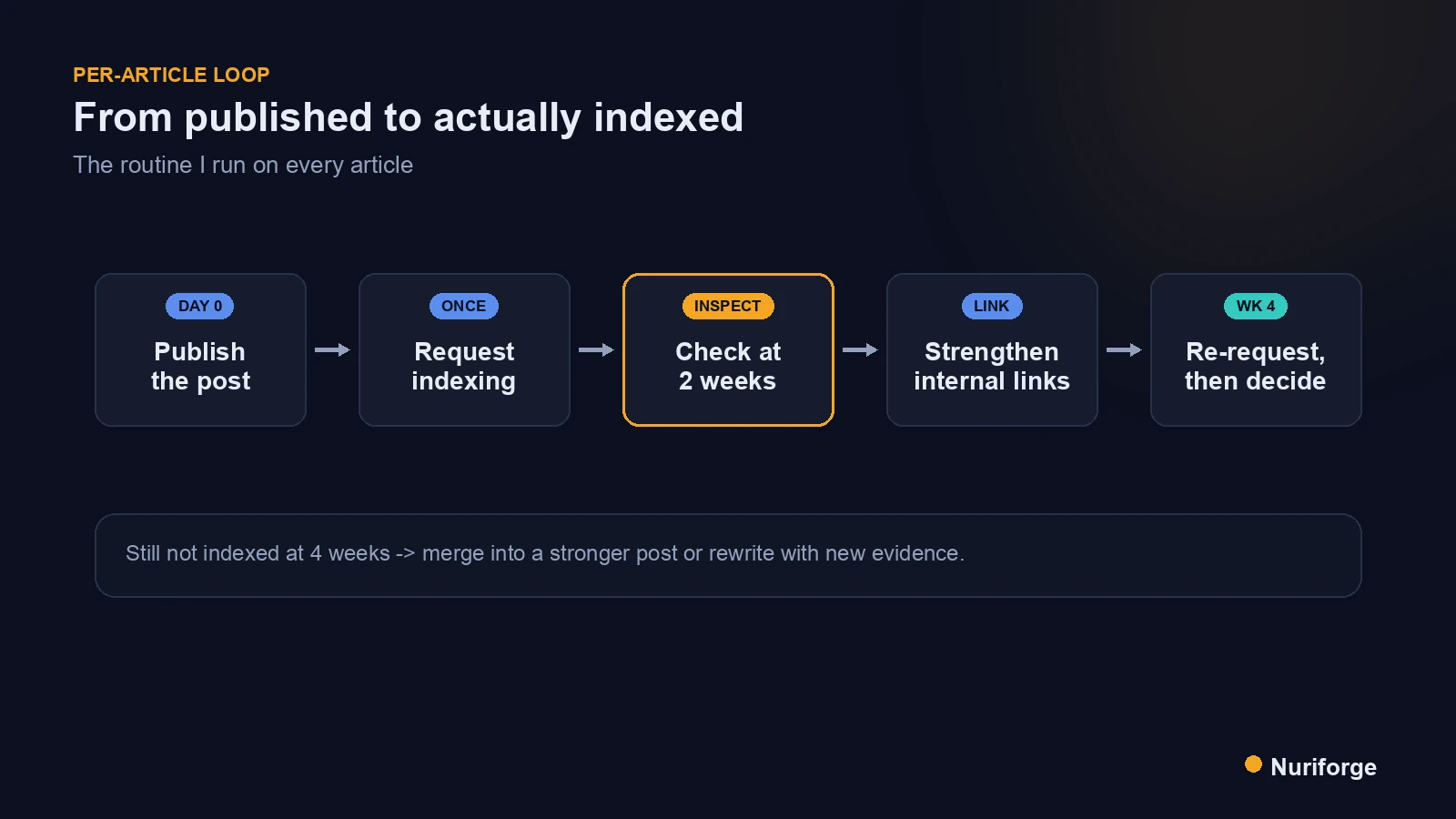
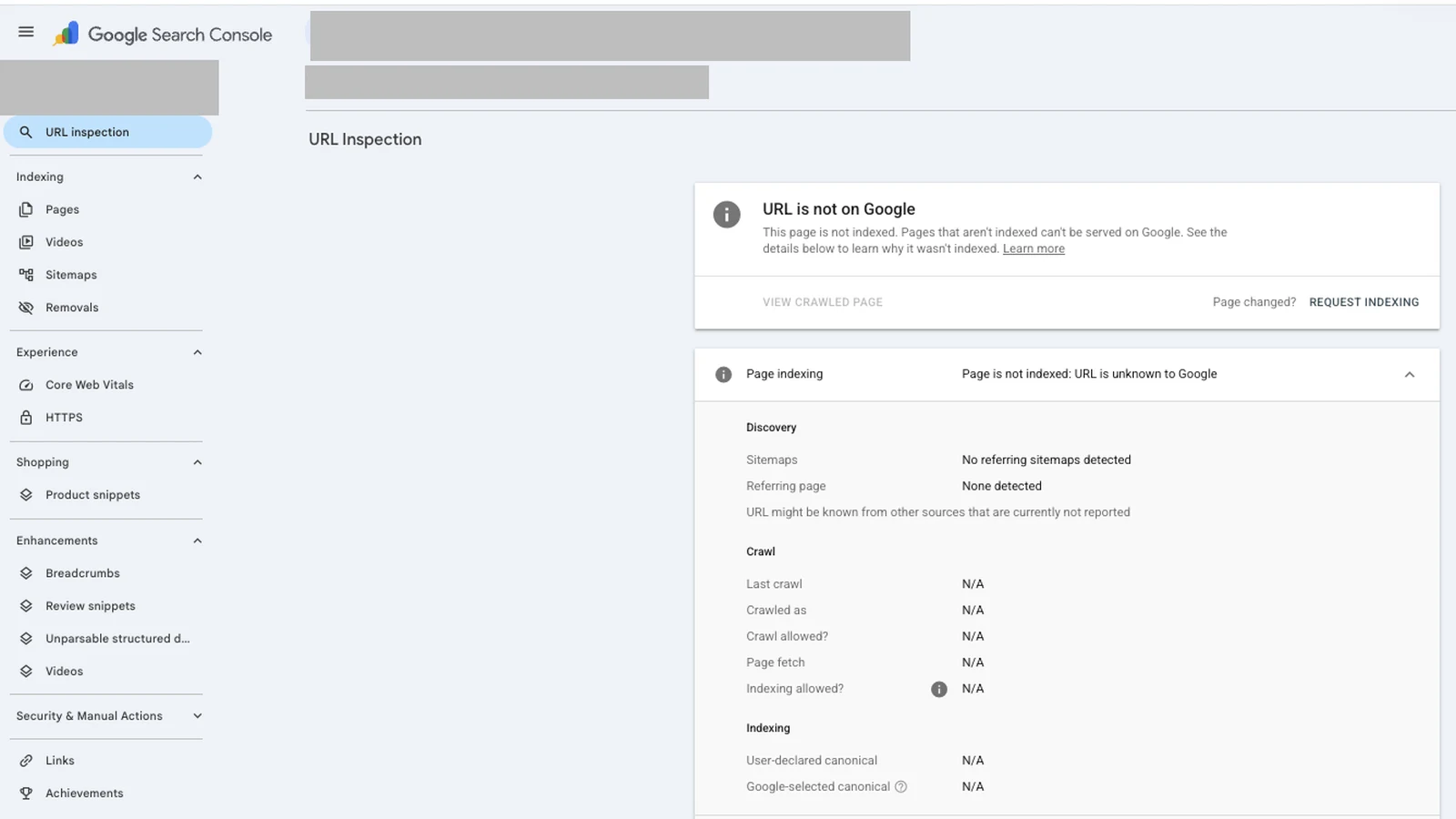
As soon as a post is live — for me that’s the moment a post I scheduled through the REST API fires — I open it in the URL Inspection tool in Search Console and request indexing. This doesn’t guarantee anything — it’s a nudge, not a command — but it puts the URL in the crawl queue faster than waiting for Google to find it through a sitemap alone. Google’s own documentation on asking Google to recrawl your URLs is clear that this is the intended path for a single new or updated page.
Two things make this step actually work rather than just feel productive. First, the page has to be genuinely ready when you request — final content, valid structured data, internal links in place — because you’re spending a crawl on whatever state it’s in. Request a half-finished draft and you’ve taught Google a first impression you’ll have to overwrite later. Second, request once and leave it alone. Hammering the button on the same URL day after day does nothing useful and just trains you to confuse activity with progress. The request is a doorbell, not a negotiation; ringing it ten times doesn’t make anyone answer faster.
Step two: check back at two weeks
I don’t judge indexing on day two. Crawling and indexing take time, and a page that isn’t indexed after 48 hours is completely normal. My checkpoint is two weeks out, when I inspect the URL again and read what Search Console actually says: indexed, discovered but not indexed, or crawled but not indexed. Those three states point at different problems, so I read the label before deciding anything.
This two-week check is one piece of a larger monthly cadence, which I describe in The Monthly SEO Loop That Tells Me Exactly What to Fix (Coming soon).
The distinction matters because it tells me where the weakness is. “Discovered — currently not indexed” usually means Google knows the URL exists but hasn’t prioritised crawling it, which points at crawl budget and internal linking. “Crawled — currently not indexed” means it looked and chose not to keep the page, which points at value and uniqueness. Same loop, but the next step depends on which of those I’m looking at, and getting the diagnosis right is the difference between a fix that works and effort spent on the wrong lever. I treat that label as the single most useful line in the whole report.
Step three: strengthen internal links and re-request
When a two-week check comes back not indexed, my first move is almost never to rewrite — it’s to fix the page’s connectivity. A URL that only the sitemap points to reads as low-priority. So I add two or three internal links to it from my stronger, already-indexed pages, using natural anchors that genuinely fit the context, then request indexing one more time. Internal links are how you tell Google which of your pages you consider important, and a well-linked page gets crawled and kept more readily than an orphan.
Pages that stay stuck after this step get a different treatment, which I walk through in How I Revive Crawled Not Indexed Pages in Search Console (Coming soon), because the fix depends on which label Search Console gave them.
This is also where a maintained link map, built from what’s actually live, earns its keep. I want links coming from pages that already have crawl equity, not from other stragglers, so I look at what’s actually indexed and link down from there. One honest, contextual link from a strong page beats five forced “see also” links from weak ones. After the links are in and the page is genuinely improved, a single re-request is fair; a spammed re-request is not.
Step four: at four weeks, merge or rewrite
If a page is still unindexed a month after publishing, with links added and a re-request already spent, I stop treating it as a page that needs more nudging and start treating it as a page Google has judged. At that point the honest question is whether the article deserves to exist on its own. Sometimes the answer is that it overlaps too much with a stronger post and should be merged into it, with a redirect. Sometimes it’s thin and needs a real rewrite with evidence a similar page doesn’t already carry.
The one thing I don’t do is keep re-requesting a page that Google has repeatedly declined. Persistence isn’t a ranking factor. Google’s guidance on creating helpful, people-first content is effectively the rubric here: if a page can’t clear that bar, more crawl requests won’t save it, and merging its value into a page that can is the better use of the effort.
The indexing loop as a repeatable checklist
The reason I call it a loop rather than a checklist is that steps three and four feed back into the same check: strengthen, re-request, wait, re-inspect. Written out as a table, it’s small enough to run from memory on every article, which is the whole point — a routine you can actually repeat beats an elaborate one you skip.
| When | Action | What I’m looking for |
|---|---|---|
| Day of publish | Request indexing in URL Inspection | URL accepted into the crawl queue |
| ~2 weeks | Re-inspect the URL | Indexed, discovered, or crawled-not-indexed |
| If not indexed | Add 2–3 internal links from strong pages, re-request once | Better connectivity, one fair re-crawl |
| ~4 weeks | Re-inspect again | Indexed, or a candidate to merge/rewrite |
| Still not indexed | Merge into a stronger post or rewrite with new evidence | Value preserved, weak URL retired |
This loop is also the reason I keep my publishing pace slow. Every article carries this follow-through, and follow-through takes attention, so flooding the calendar just means a backlog of pages I can’t properly shepherd. The loop runs inside the AI WordPress content pipeline I run, as the deliberate last stage after a post goes live. It is also why my queue never reaches more than a few weeks out; I explain that limit in Why I Don't Pre-Schedule Posts a Year in Advance.
FAQ
Should I request indexing for every new post?
Yes, once, on the day it goes live and only when the page is genuinely final. It’s a nudge that gets the URL crawled sooner than a sitemap alone. Requesting repeatedly on the same URL adds nothing, so request once and judge the result at two weeks.
How long should I wait before deciding a post isn’t indexed?
Give it about two weeks before your first judgement. Indexing legitimately takes time, and a page that’s unindexed after a day or two is normal. My decision points are two weeks and four weeks, not the first 48 hours.
What’s the difference between discovered and crawled but not indexed?
“Discovered — currently not indexed” means Google knows the URL but hasn’t prioritised crawling it, which points at crawl budget and internal links. “Crawled — currently not indexed” means Google looked and chose not to keep it, which points at the page’s value and uniqueness.
Do internal links really help a page get indexed?
They help, especially from pages that are already indexed and carry crawl equity. Internal links signal which URLs you consider important and give crawlers paths to reach them. A page only the sitemap points to reads as low-priority; a well-linked page gets crawled and kept more readily.
When should I stop trying to index a page and merge it instead?
Around the four-week mark, after you’ve added links and spent one fair re-request. If Google still declines the page, it’s a judgement about value, not a crawl glitch. Merge its content into a stronger post with a redirect, or rewrite it with evidence a competing page lacks.
My Thoughts
What changed my results wasn’t a clever trick, it was refusing to call a post finished the moment it went live. The indexing loop is unglamorous — inspect, link, wait, decide — and it’s precisely that unglamorous follow-through that separates a site where most pages rank from one where half of them are quietly invisible. I’ve come to see the request-and-check habit as part of writing the post, not a chore that comes after it. A page you shepherded into the index is worth more than three you published and never looked at again.