One post in an eight-post batch had 301’d elsewhere, and my edit simply vanished. The script reported success on all eight; seven changed on the live site and one did not, because the URL I kept checking quietly redirected to a different post. Bulk editing WordPress at any scale means reckoning with two quiet failure modes: posts whose public URL 301-redirects somewhere else, and block markup that breaks when you touch it the wrong way. Both let a save look successful while the reader sees nothing change. Here is how I catch a redirecting slug before the batch and keep Gutenberg intact through the edit.
When a bulk edit lands where no one looks
I pulled a list of published posts, matched the ones I wanted, and pushed the same change to each. Seven appeared instantly. The eighth was on a Korea-travel affiliate site I run, and no matter how many times I reloaded, the change was not there. My first instinct was that the write had failed, but the API had returned a clean success and the stored content genuinely held my edit. The post was fine. The URL was the problem.
That post’s public address 301-redirected to a newer article. So when I loaded the URL to check my work, the browser followed the redirect and showed me the newer post, which of course did not have my edit. The change was sitting exactly where I put it, on a post that no visitor ever actually reaches, because everyone who requests that URL gets bounced somewhere else. A successful save to a page nobody sees is indistinguishable, from the outside, from a save that failed.
Why a 301’d slug hides your edit
A published post and a reachable post are not the same thing. A post can carry status: publish in the database while its front-end URL permanently redirects elsewhere — because someone changed the slug and left a redirect, or a plugin manages redirects, or the post was superseded and pointed at its replacement. The list of published posts happily includes these, so a naive batch treats them as normal targets. The edit saves to the right post object; the audience just never lands on it.
This is why I stopped trusting the publish list as a list of things people can read. Redirects are a normal, healthy part of running a site — Google’s own guidance on 301 redirects treats them as the correct tool for moved content. The trap is not the redirect; it is assuming every published post resolves to itself. Once one does not, editing it is editing a ghost, and the only way to know which posts are ghosts is to ask each URL what it does before you touch it.
Check every URL for 200 before the batch
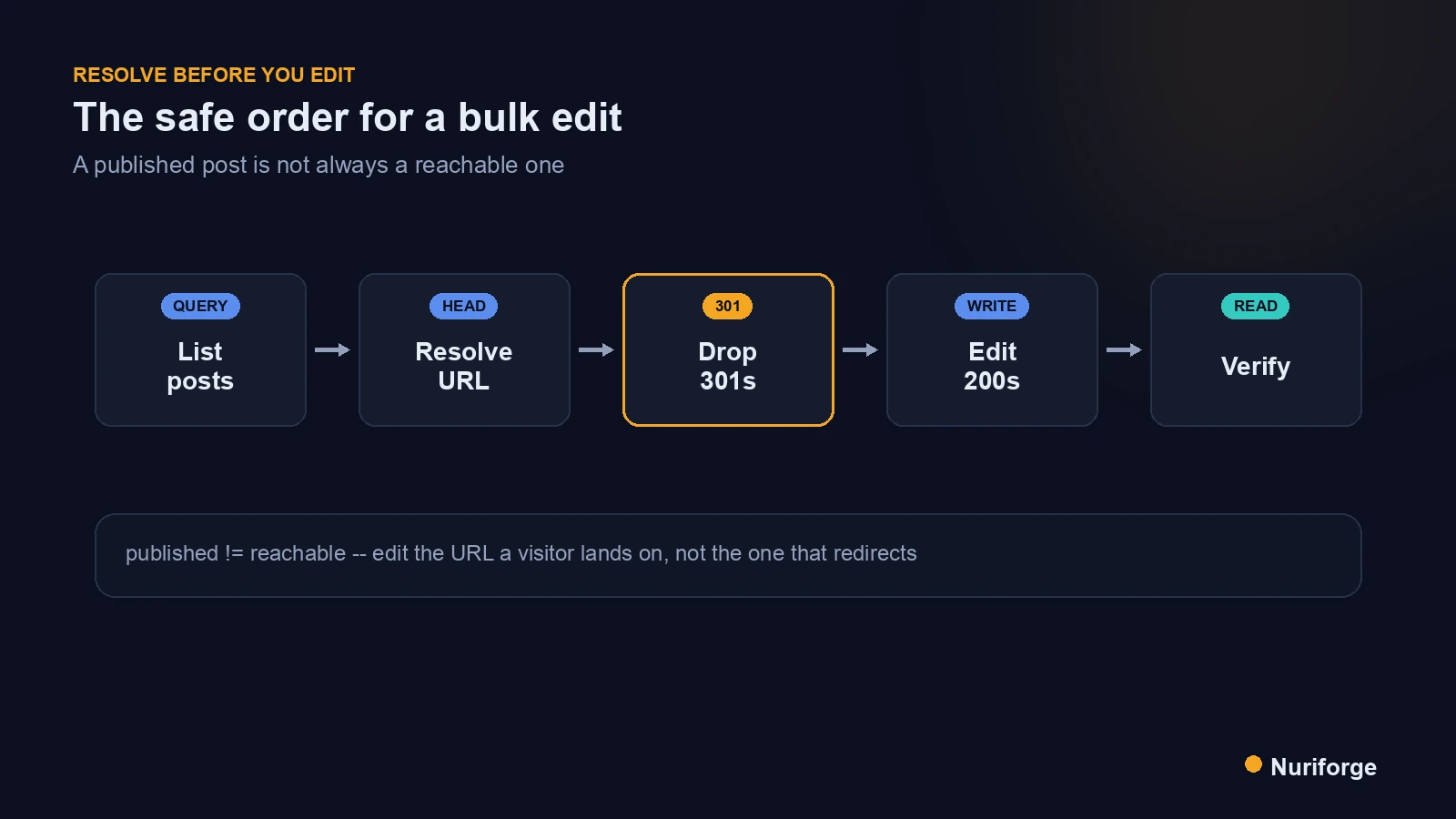
So the first step of any bulk editing WordPress job is now a resolution pass, before a single edit. For each post I plan to change, I request its public URL and look at the status the server returns without following the redirect. A 200 means the post resolves to itself and is safe to edit in place. A 301 or 302 means the content the audience sees lives at the redirect target, so the post I should actually edit is the one at the end of that redirect, not the one that points away.
The rule that came out of this is simple: edit the post a visitor lands on, not the one that sends them away. My script now separates the batch into two piles — the 200s it edits directly, and the redirects it resolves to their targets and re-points at those. If a redirect chains or lands somewhere unexpected, the post is set aside for me to look at by hand. It fits the same discipline as the rest of the content pipeline I run: confirm the assumption before acting on it, never after.
Not breaking Gutenberg blocks in a bulk edit
The other quiet failure in bulk edits is block markup. Gutenberg stores content wrapped in HTML comment delimiters that mark where each block starts and ends, and the editor validates them when a post is opened. If a bulk edit mangles those delimiters — drops a closing marker, or splits one across an insertion — the editor may try to “heal” the block on next open, silently rewriting or merging your content in ways you did not intend. The front end can still look fine while the underlying blocks are quietly corrupted.
My defense is to treat block boundaries as untouchable. I insert between whole blocks, never inside a delimiter, and I never regenerate a body from a template that does not carry the exact markers the editor wrote. The block editor documentation describes how that markup is structured, which is worth reading before you write anything that edits stored content in bulk. I also watch for character-level mangling — smart quotes and HTML entities getting joined or re-encoded by a careless string operation — because those small corruptions are exactly the kind that pass every glance and fail on close reading.
Verify against the URL a visitor lands on
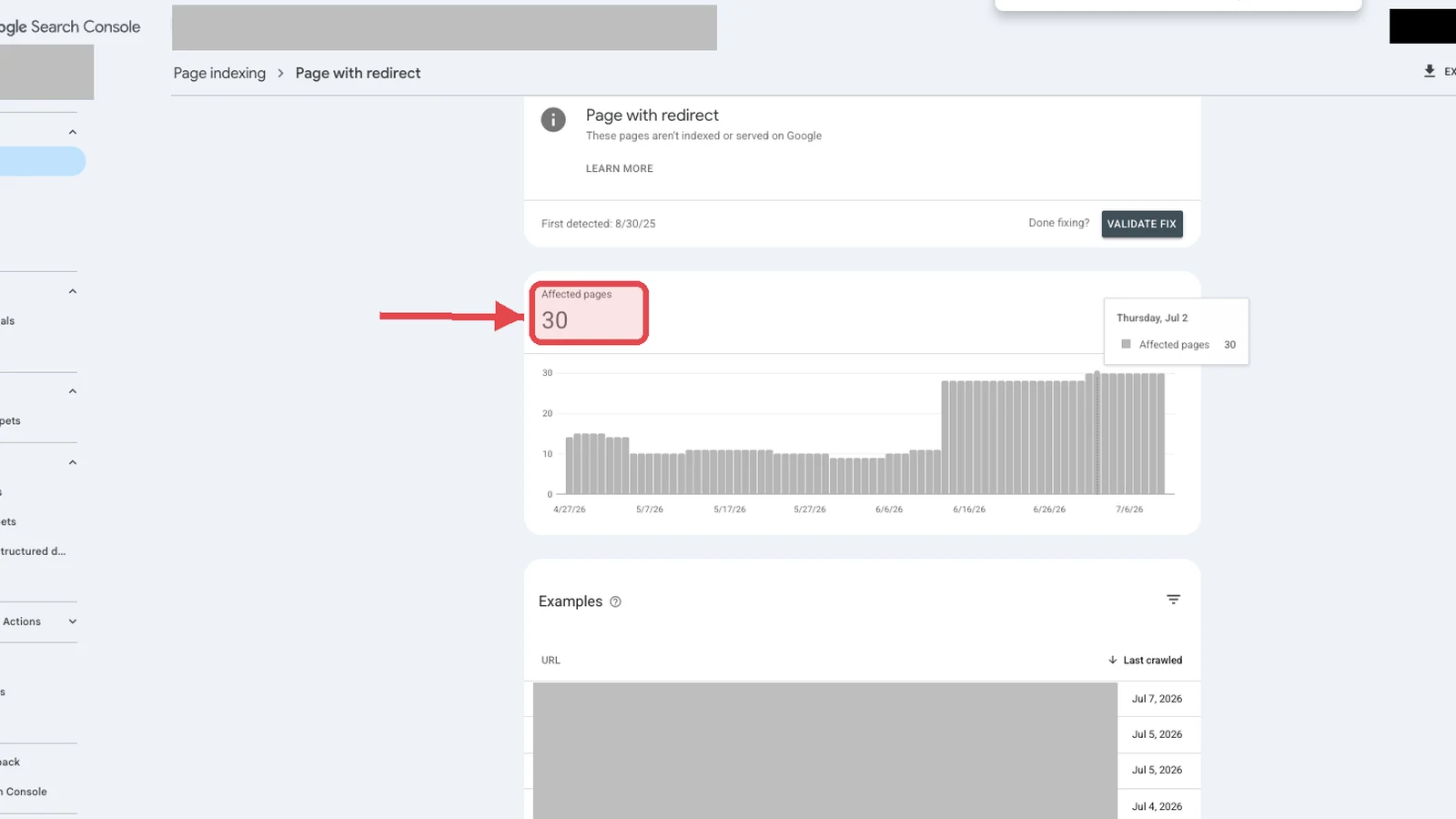
Verification has to match how a reader experiences the page, which means following the redirect, not ignoring it. After a batch, I load each edited post the way a visitor would — letting redirects resolve — and confirm the change appears on the final URL the browser settles on. If a post 301s, that final URL is the target, and my edit had better be on the target’s content, which is exactly why the resolution pass re-points redirects up front.
The two checks answer different questions and I run both. Reading the stored content back through the API proves the write landed on the object I aimed at. Loading the resolved public URL proves a real visitor will actually see it. My eighth-post surprise happened precisely because those two things had drifted apart: the write was perfect and the audience saw none of it. Now the batch is not done until the change is visible at the address people actually reach.
| Situation | Naive bulk edit | Resolve-first bulk edit |
|---|---|---|
| Post URL returns 200 | Edits it (fine) | Edits it directly |
| Post URL 301s elsewhere | Edits a page no one sees | Re-points to the redirect target |
| Redirect chains | Silently wrong | Set aside for a human |
| Block delimiters | Risk of a mangled, healed block | Insert between whole blocks only |
| Verification | Reload and hope | Check the resolved final URL |
FAQ
Why did my bulk edit not appear on the live post?
The most common cause is a redirect. A published post can 301 to a different URL, so when you reload to check, the browser follows the redirect and shows you another post without your change. The edit saved correctly to the original post; no visitor simply ever reaches it. Verify against the URL that a redirect resolves to.
How do I find posts that redirect before editing a batch?
Run a resolution pass first. Request each post’s public URL and read the HTTP status without following redirects. A 200 is safe to edit in place; a 301 or 302 means the audience sees the redirect target, so edit the post at the end of the redirect instead. Set aside any redirect that chains or lands unexpectedly.
Should I edit a post that 301 redirects elsewhere?
Usually not the redirecting post itself, because readers never land on it. Edit the post at the redirect’s destination, which is the content people actually see. Redirects are a normal part of running a site, so the fix is to follow them to the real target rather than to remove them.
How do I avoid breaking Gutenberg blocks in a bulk edit?
Treat the block delimiters as untouchable. Insert between whole blocks, never inside a block’s comment markers, and do not regenerate the body from a template that lacks the exact markers the editor wrote. If delimiters get mangled, the editor may heal the block on next open and silently rewrite your content.
What is character-level mangling in a bulk edit?
It is when a careless string operation joins or re-encodes characters like smart quotes and HTML entities. The page can still look fine while the markup is subtly corrupted. Because these errors pass a quick glance, verify by reading the stored content closely, not just by looking at the rendered page.
My Thoughts
The part that stuck with me is how confident everything looked while being wrong. Eight green checkmarks, one invisible failure, and no signal to tell them apart until I happened to notice a page that had not changed. The habit I built from it was to stop conflating “the database accepted my write” with “a reader will see it.” Those are two separate claims about two different things, and on a site with any history of moved content they come apart more often than you would guess. Ask each URL what it does before you edit it, and check the address people actually reach after. The redirect was never the villain; my assumption that every post resolves to itself was.